Migration
Import CoverManager customers: CSV checklist
Import supported guest fields. Complete history, notes, allergens and tags depend on compatibility. Keep the original CSV and check an imported sample with our team. Qomanda’s 30-day trial is free. Your previous provider’s fees and cancellation terms still apply.
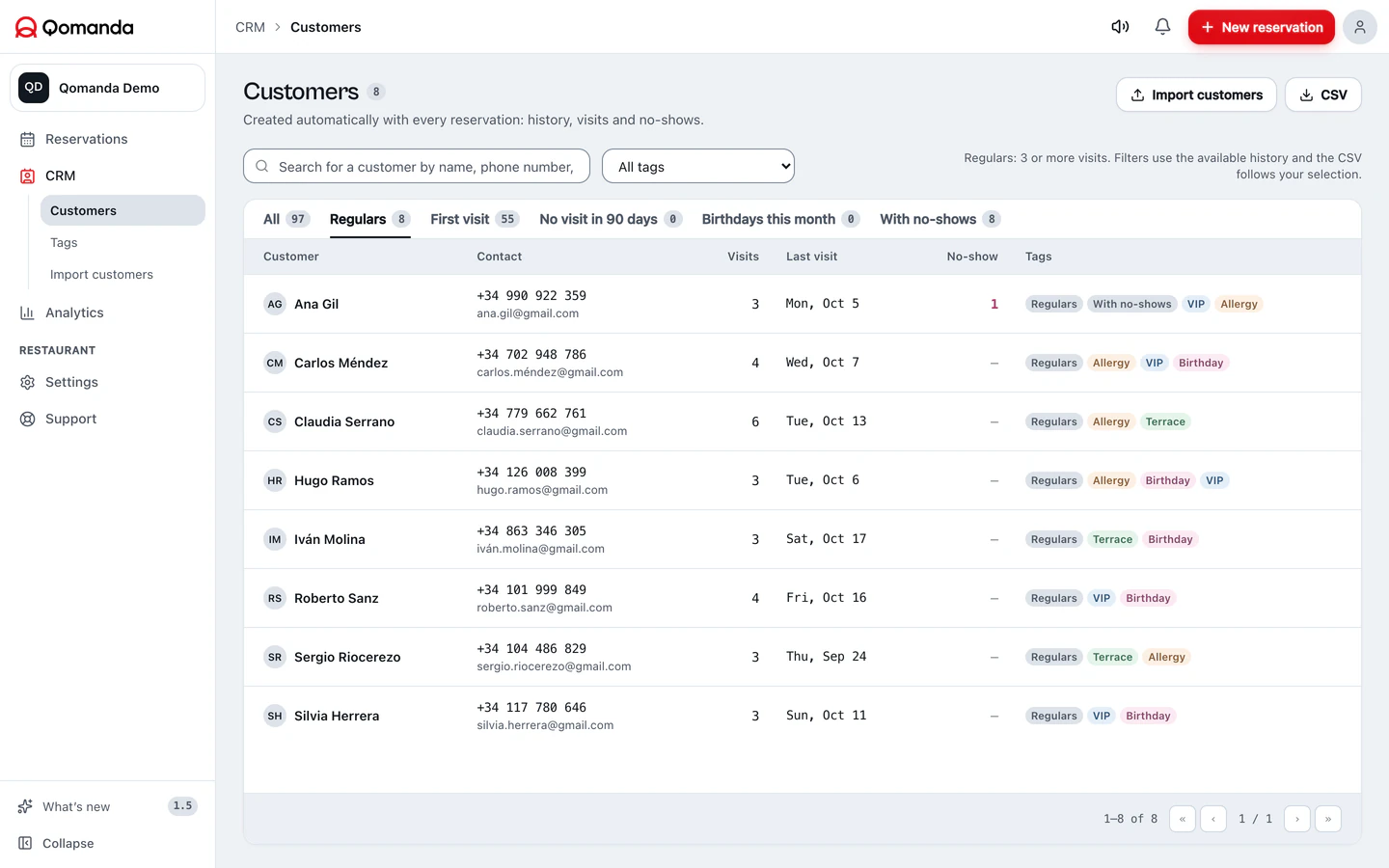

Real software. Demo data.
Your customers are yours. Get them out today.
Your restaurant's customer base is yours, not your software provider's, and you should confirm with your provider which data you can export and in what format.
Look for the export customers option in your current dashboard. If it isn't there, email your provider and ask for it: confirm which fields, permissions and terms apply to the export.
Your data
Import supported guest fields. Complete history, notes, allergens and tags depend on compatibility. Keep the original CSV and check an imported sample with our team.
Check the guest file, set up your floor plan and test the booking flow before switching. Setup time depends on your restaurant and the available data.
Coordinate future bookings separately. If both engines accept reservations, divide capacity or close one engine’s availability to avoid duplicate bookings.
Plan the switch before cancelling.
Qomanda’s 30-day trial is free. Your previous provider’s fees and cancellation terms still apply.
Coordinate future bookings separately. If both engines accept reservations, divide capacity or close one engine’s availability to avoid duplicate bookings.
Check your CSV before importing.
Import supported guest fields. Complete history, notes, allergens and tags depend on compatibility. Keep the original CSV and check an imported sample with our team.
Two details that save you trouble: phone numbers with an international prefix (+34…) and the file saved as UTF-8, which is what keeps accents and ñ from breaking. If the export comes out of Excel, save it as "CSV UTF-8" and you're set.
When you upload it you see the summary before confirming: how many customers come in and which repeats get merged into a single profile. If something's off, fix the CSV and upload again. Nothing is written until you say so.
Your data comes in — and goes out — whenever you want.
When you move a customer base from one system to another you remain the data controller; the software is the processor. In practice that means two things: you can take it with you, and you keep the same obligations you always had (informing people, handling opt-outs, not using the data for things it wasn't meant for).
In Qomanda every customer profile has its data-deletion option, access is restricted per restaurant account, and you can re-export your base whenever you want. The day you want to leave, you walk out with your data exactly as you walked in: no lock-in, no hostages.
For specific compliance questions, your data-protection adviser has the last word.
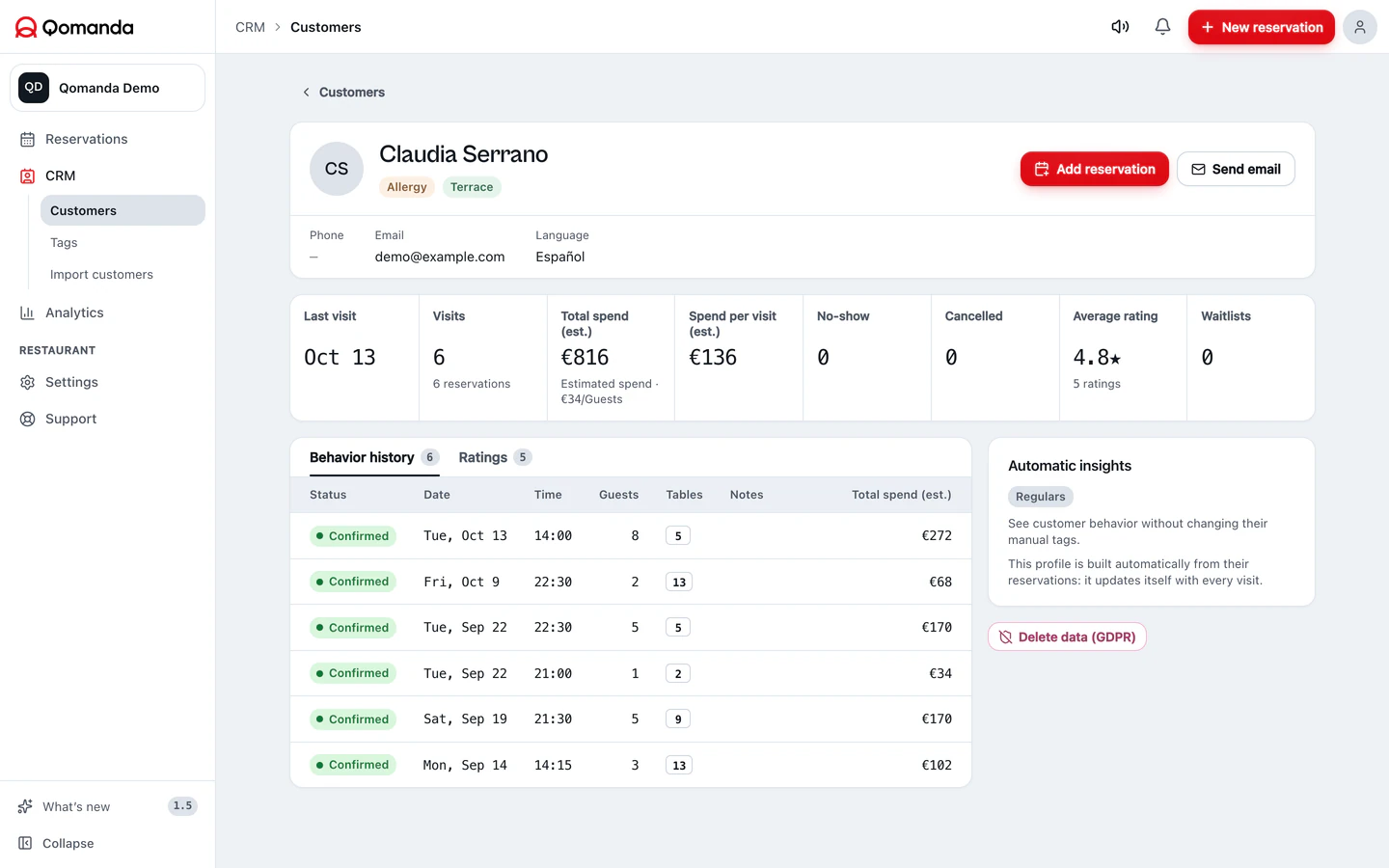
Real software. Demo data.
The full migration, in seven steps.
- 01
Export your customers from your current system
Look for the export or download customers option in your dashboard and ask for a CSV. If you can't find it, email your provider and request it: confirm export fields, permissions and terms with your provider. Do this before cancelling anything.
- 02
Give the file a quick check
Open it and check three things: there's a header row, phone numbers carry a prefix (+34…) and accents display correctly. If you see odd characters, save it again as "CSV UTF-8".
- 03
Create your Qomanda account
Signing up takes a few minutes and the 30-day trial asks for no card. Don't cancel your previous system yet: you'll use it during the overlap.
- 04
Upload the CSV from CRM › Customers › Import
Import supported guest fields. Complete history, notes, allergens and tags depend on compatibility. Keep the original CSV and check an imported sample with our team.
- 05
Set up your floor plan and services
Check the guest file, set up your floor plan and test the booking flow before switching. Setup time depends on your restaurant and the available data.
- 06
Embed the booking engine on your website
Paste one line of code into your site and new bookings land straight in your panel, in 39 languages and with no per-cover commission. From that moment every direct booking is margin that stays with you.
- 07
Plan the switch before cancelling.
Coordinate future bookings separately. If both engines accept reservations, divide capacity or close one engine’s availability to avoid duplicate bookings. Qomanda’s 30-day trial is free. Your previous provider’s fees and cancellation terms still apply.
CoverManager® is a trademark of its owner; we are not affiliated. Each system's export options depend on its provider.
Before you make the move.
What restaurants thinking about switching usually ask us. No fine print.
Import supported guest fields. Complete history, notes, allergens and tags depend on compatibility. Keep the original CSV and check an imported sample with our team.
The next service is yours.
Try the software with your own room. If you want to discuss your setup first, write to our team.
Try Qomanda freeTell us about your restaurant