Fewer gaps. Fewer calls. More tables full.
Your whole reservation software in one panel: floor, guests and numbers on the same data. We open it up module by module with real screenshots of the app, because this is exactly what you'll run tomorrow night. €49 a month per restaurant, 0 per-cover fees.
30 days free · no card · no lock-in
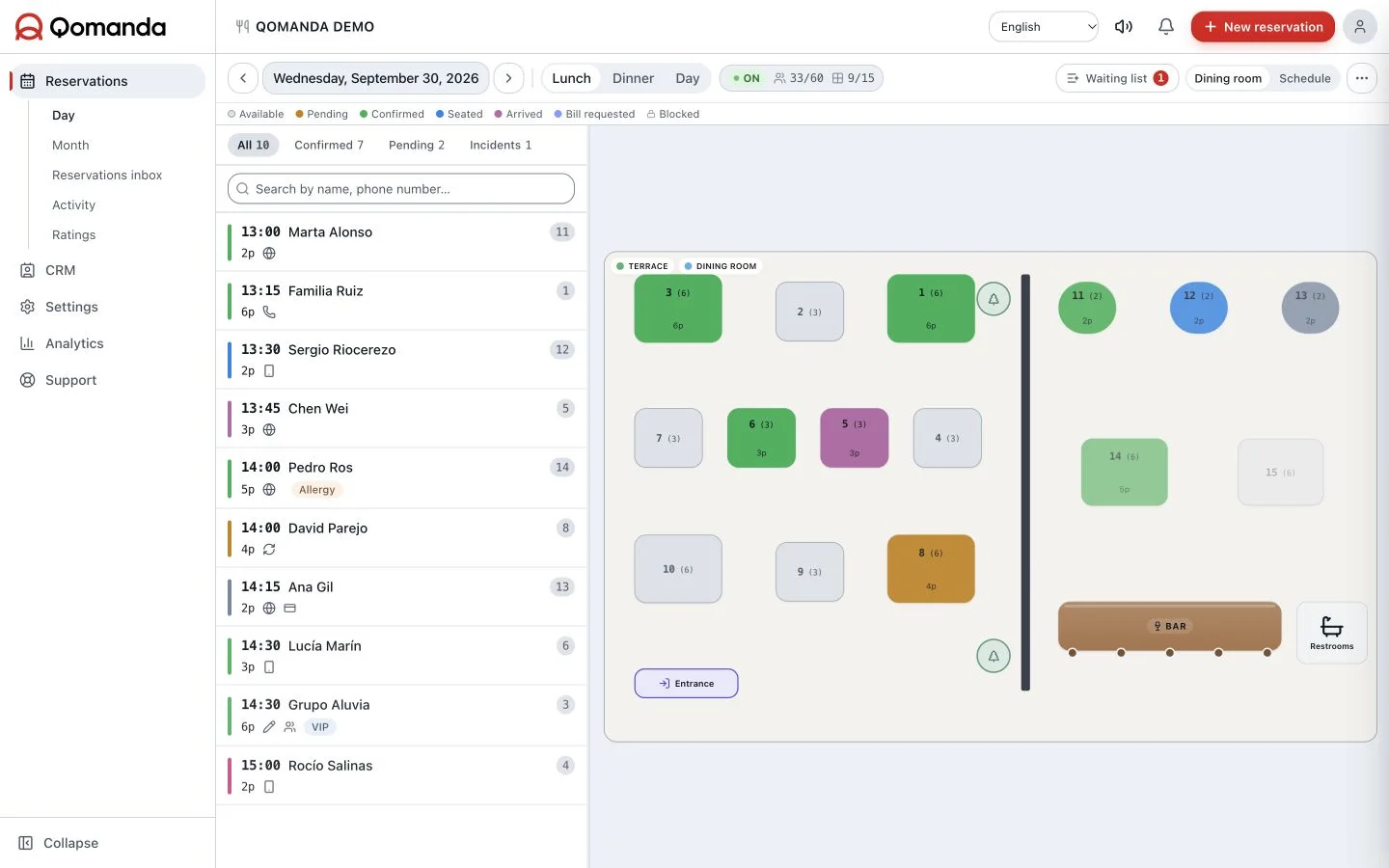
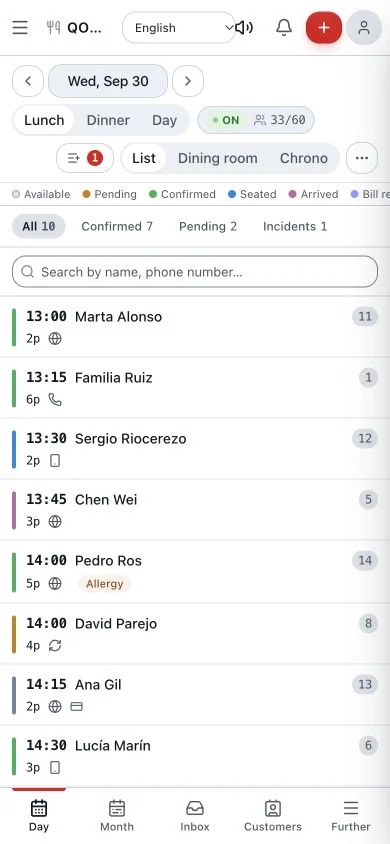
Run the whole service from one screen.
Service list and floor plan, side by side on the same data. Seat guests, move tables and close checks without jumping between tabs, and at any moment you know who has arrived, who is missing and which table just freed up.
List and plan, one source
01Move a table in the list and the plan updates itself. One version of the truth for the whole team.
Every table's state at a glance
02Confirmed, seated, check requested. The colour tells you how the room is running at a glance.
The whole rush on one screen
03Seat, move and close from the same place. Your head on the floor, not on the software.
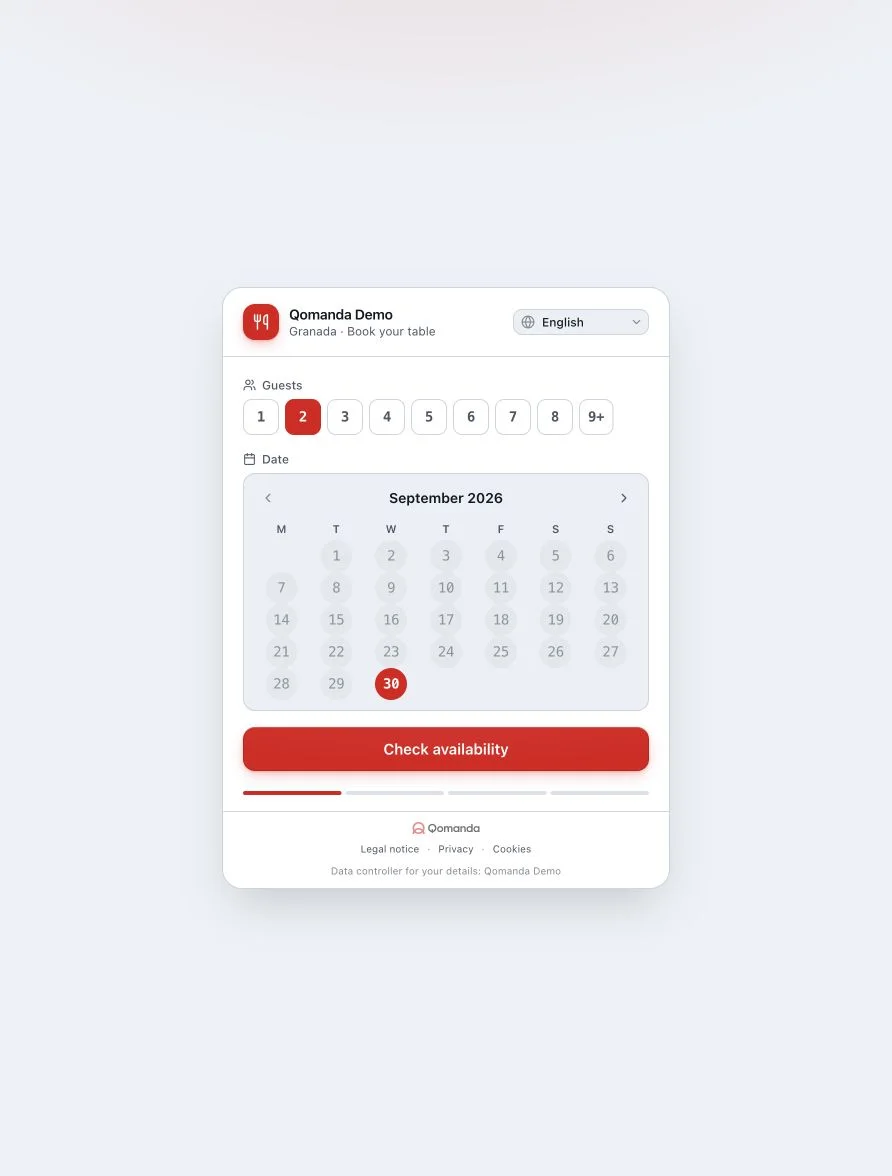
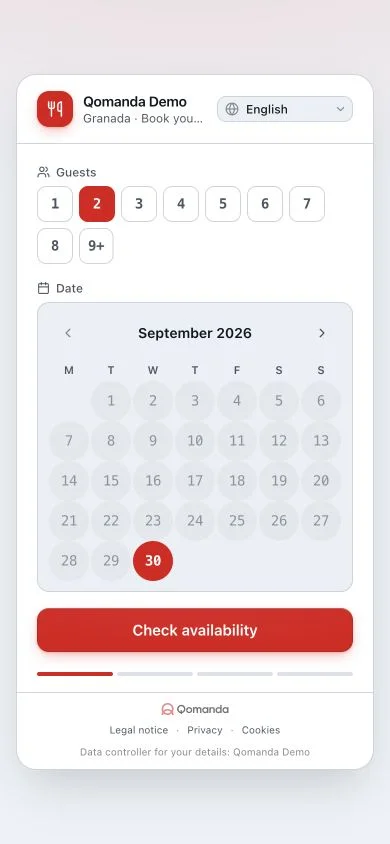
Direct bookings on your site. Zero commissions.
Guests book on your own page and the table lands in the panel instantly, with its details. Fill ten tables or a thousand, the fee is the same: every cover's margin stays in your till.
0 per-cover fees
01Ten covers or a thousand: you still pay €49. Filling the room costs you nothing extra.
On your site, in 39 languages
02The widget lives on your domain and detects the guest's language. Visitors book with you, not on a portal.
Straight into the panel
03Every booking drops into the Day view with its details, ready to seat. Zero copy-paste.
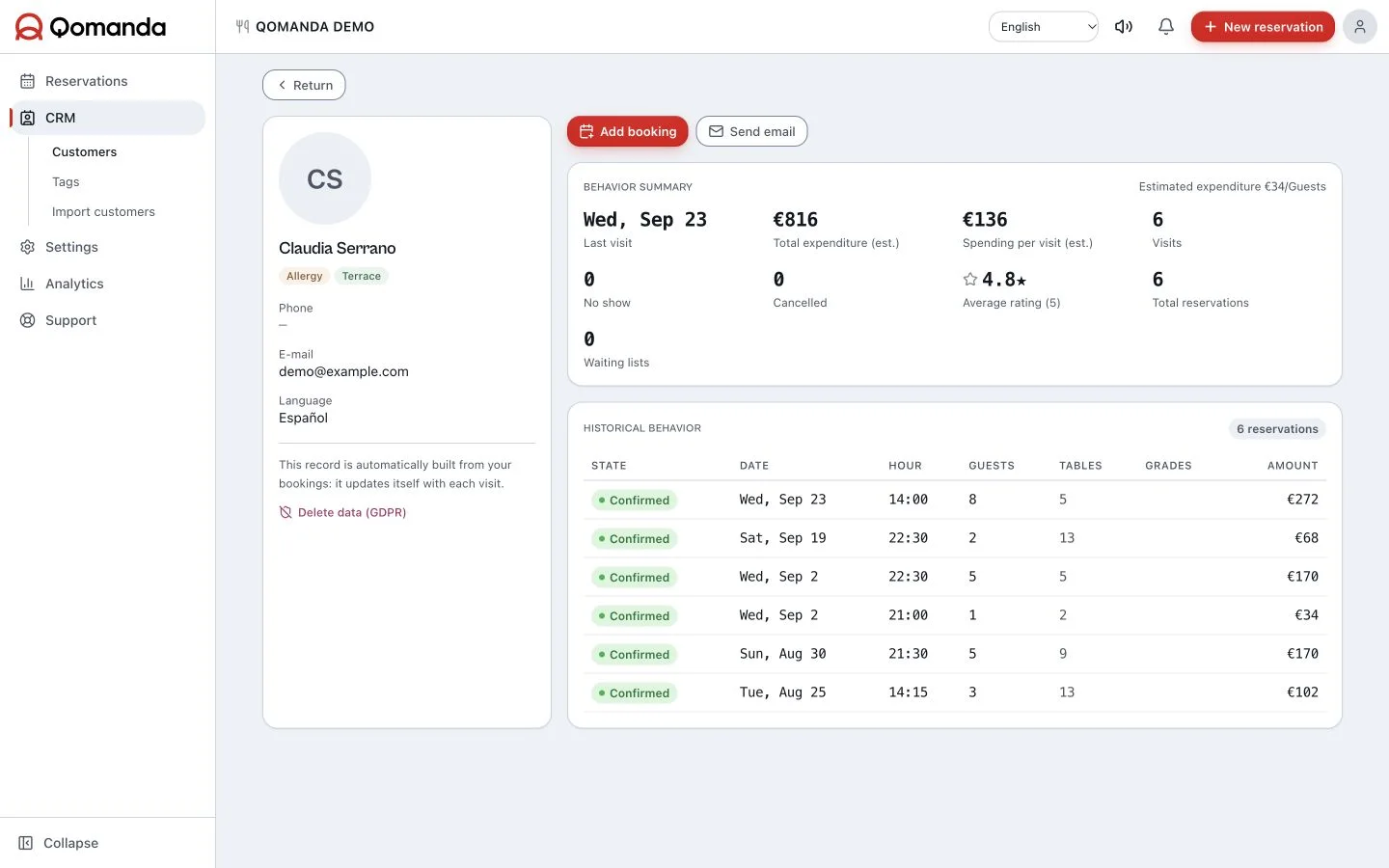
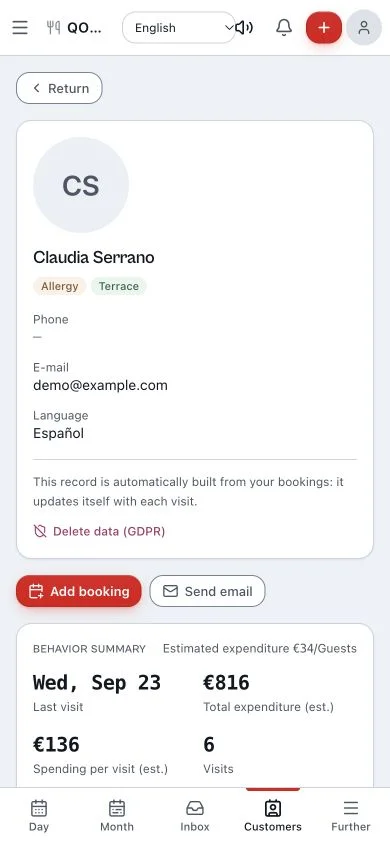
Know the regular before they sit down.
Every booking feeds the guest profile on its own: how often they come, where they like to sit and what they can't eat. With 14 allergens and your team's notes on screen, you treat every table as if you remembered everything.
History that fills itself
01You know if it's their first time or their twentieth before they walk in.
14 allergens and notes, on the profile
02What they can't eat and how they like the table, in front of the whole floor.
Regulars and no-shows, flagged
03Look after the loyal guest and keep an eye on the one who stood you up.
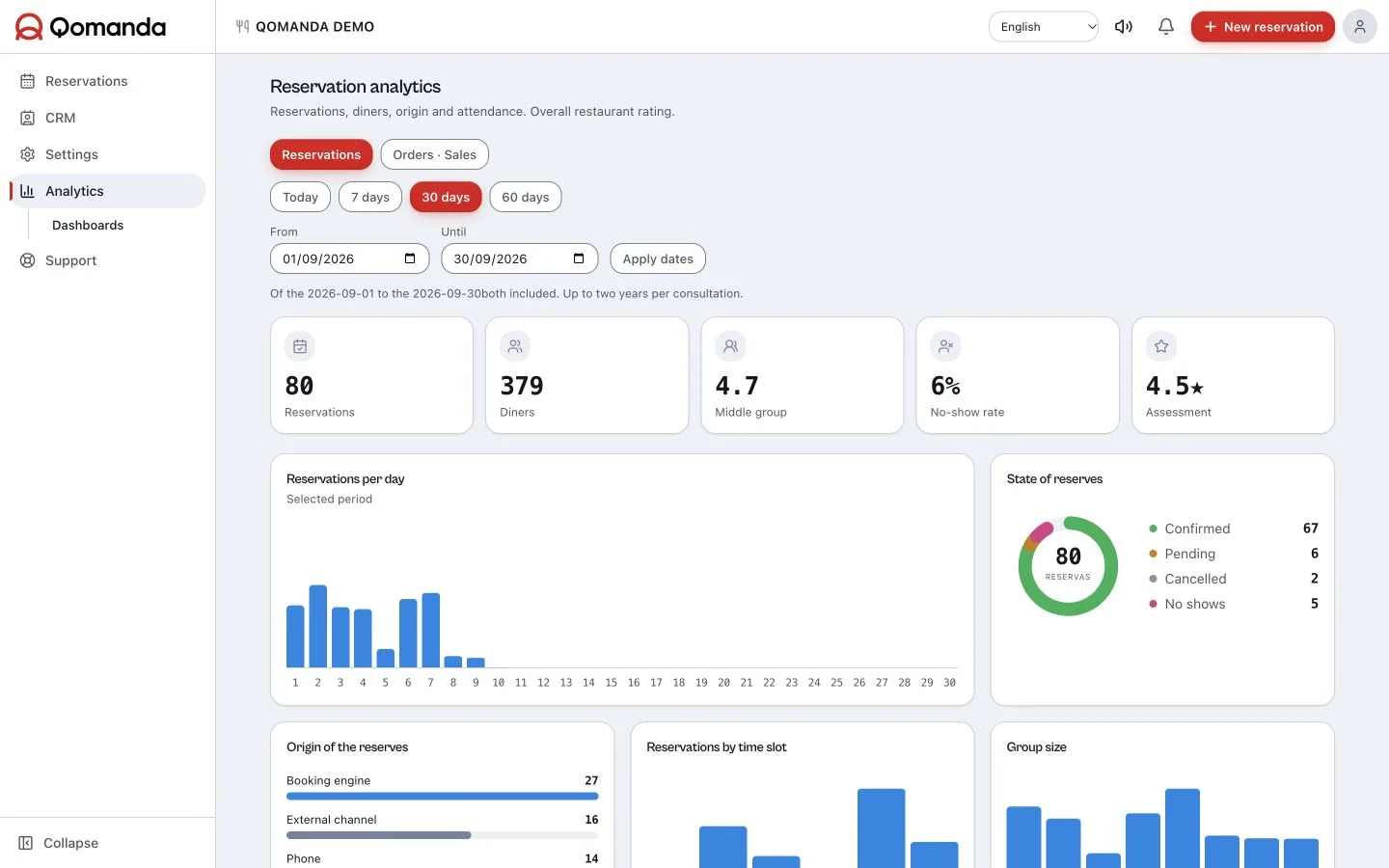
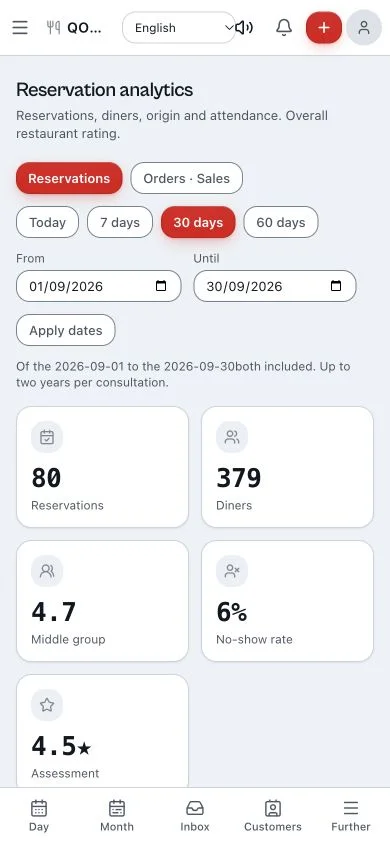
Know exactly what empty tables cost you.
Occupancy, covers, no-shows and where each booking comes from, worked out for you without touching a spreadsheet. See which days you're tight, what each gap costs and which channel fills the room: from there, you decide on data.
Real occupancy and covers
01How full you got, how many came in and which tables went spare, service by service.
No-shows, measured
02How many tables went empty and how much the reminders close that gap.
Where your bookings come from
03Web, phone, walk-in. You know which channel brings tables and which just brings work.
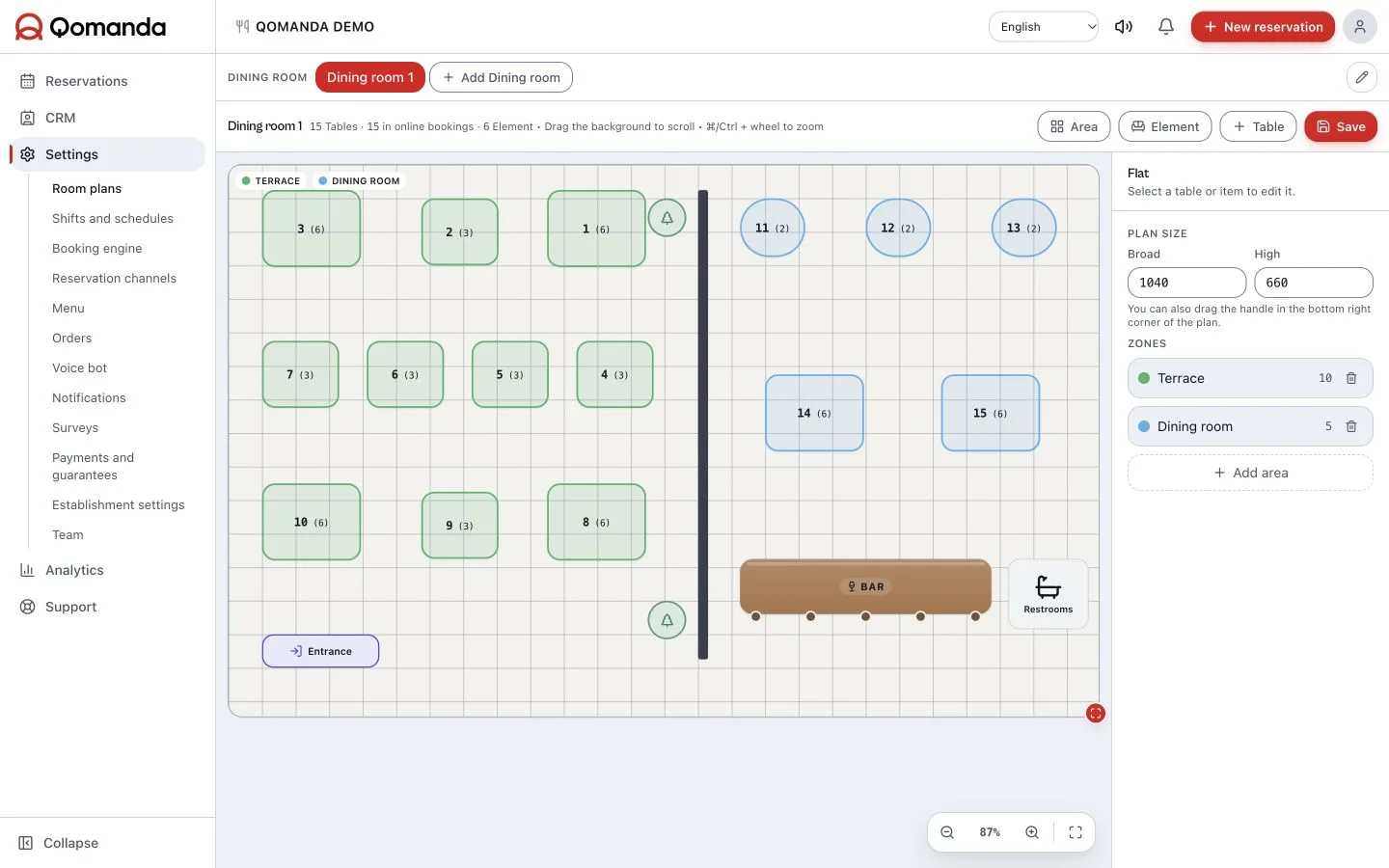
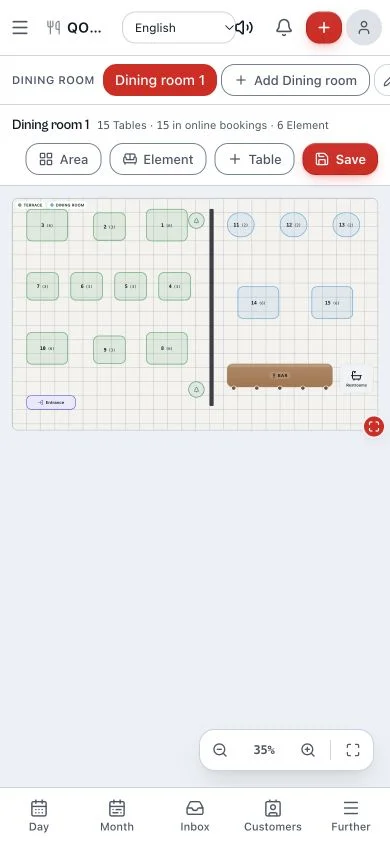
Seat every booking at exactly the right table.
Draw terrace, dining room and bar by dragging tables, each with its real shape and capacity. The plan you build is the one your team sees mid-service, so they seat right the first time and you use even the corner table.
Drag, drop, done
01Build your room with a finger, in one afternoon. No rigid grids, no endless configuration.
Zones and per-table capacity
02Terrace, dining room, bar, private. Each table with its real shape and capacity.
The same plan during service
03What you draw here is what your team sees on the floor. One plan for the whole house.
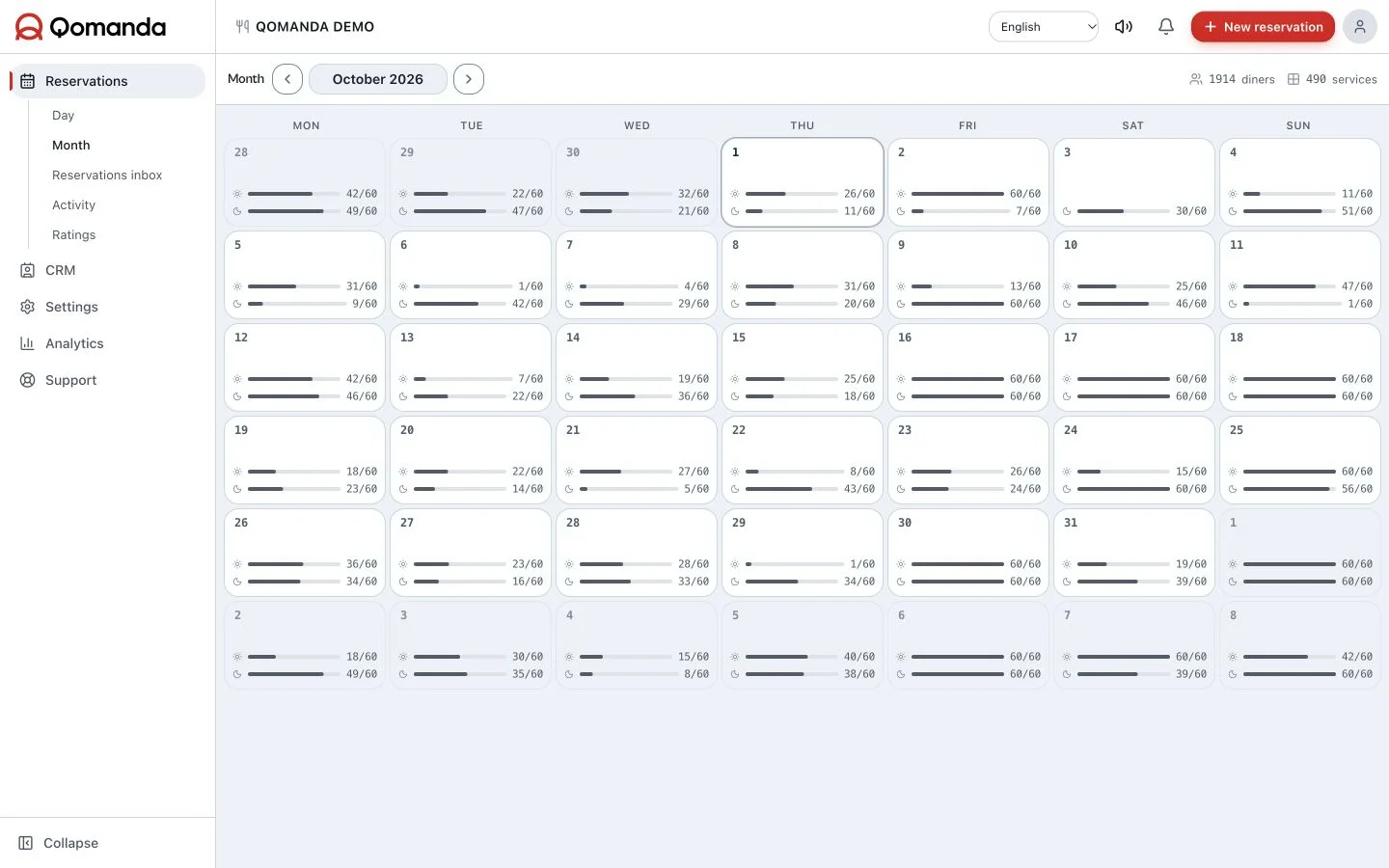
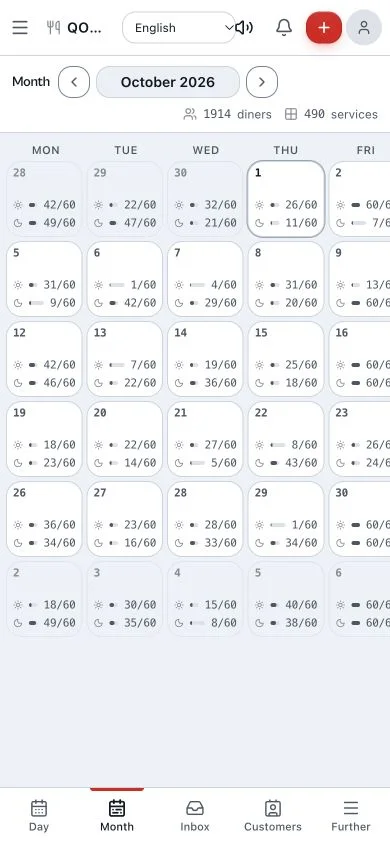
See next month before it arrives.
The calendar shows how your house breathes day by day: which nights fill themselves, which run soft and where you still have seats to sell. You know weeks ahead where to push and where you don't need to.
Occupancy per day
01Every date flags how full it runs. At a glance you see where you're tight and where there's room to spare.
Strong days and soft days
02See your weekly pattern without spreadsheets: when to push and when to ease off.
One click to the detail
03Tap a date and land in that service's Day view, with its list and floor plan.
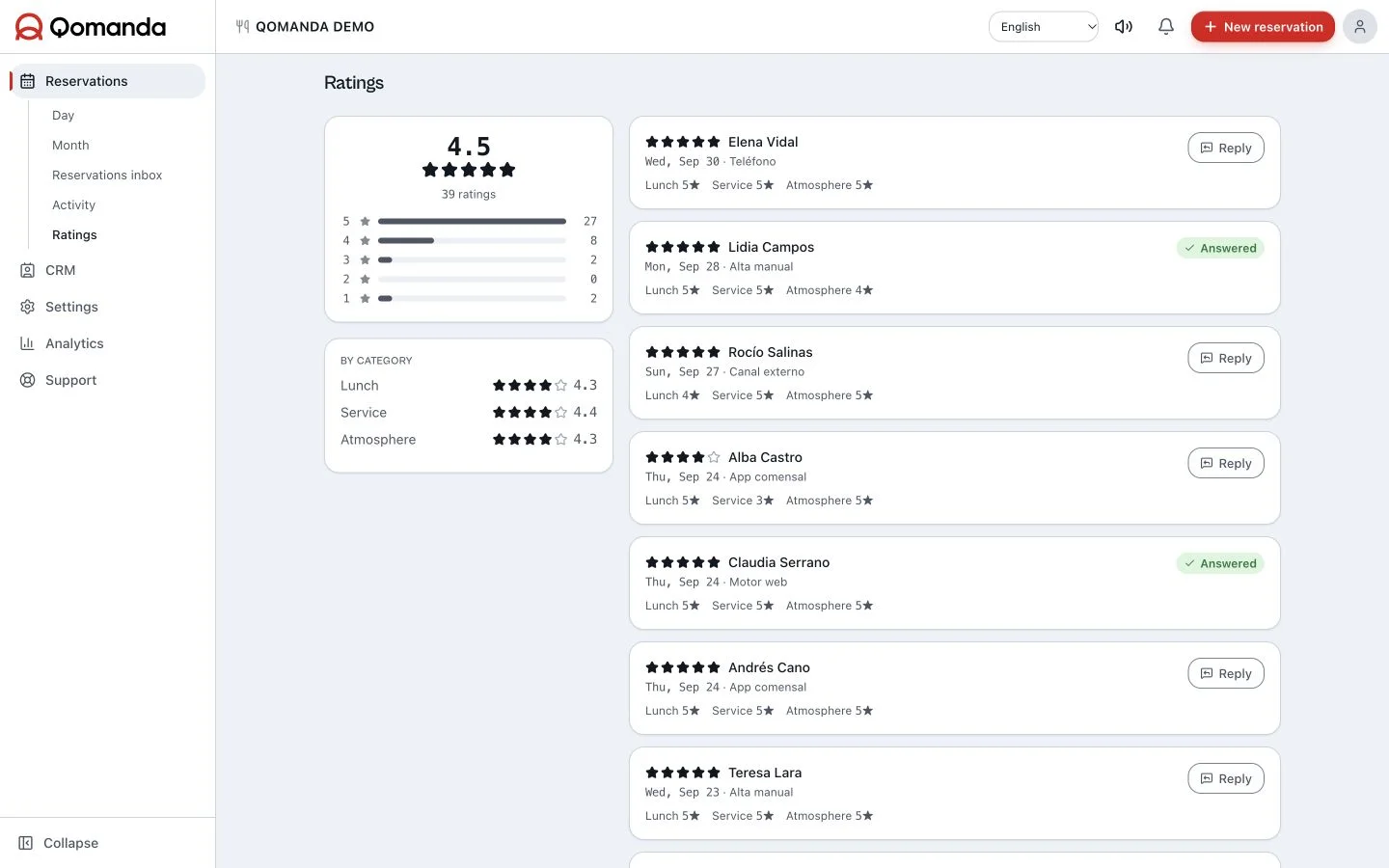
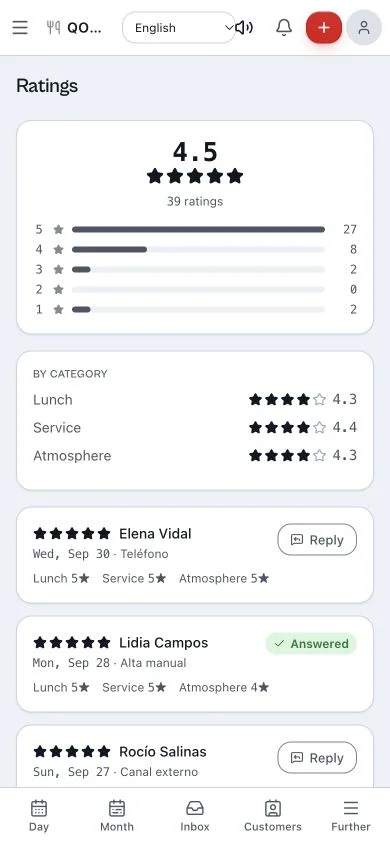
Turn happy guests into Google reviews.
After each visit, Qomanda asks your guest how it went. Above your minimum score it takes them straight to Google to leave the review; below it, the alert lands in your panel and you fix it with them before it ever goes public.
The survey sends itself
01It fires once the guest leaves. No chasing, no asking for the favour by hand.
Listen after each visit
02Review guest feedback and Google reviews to identify what works and what needs attention.
Weak feedback lands in your panel
03You read what went wrong first, in private, and fix it before it costs you a star.
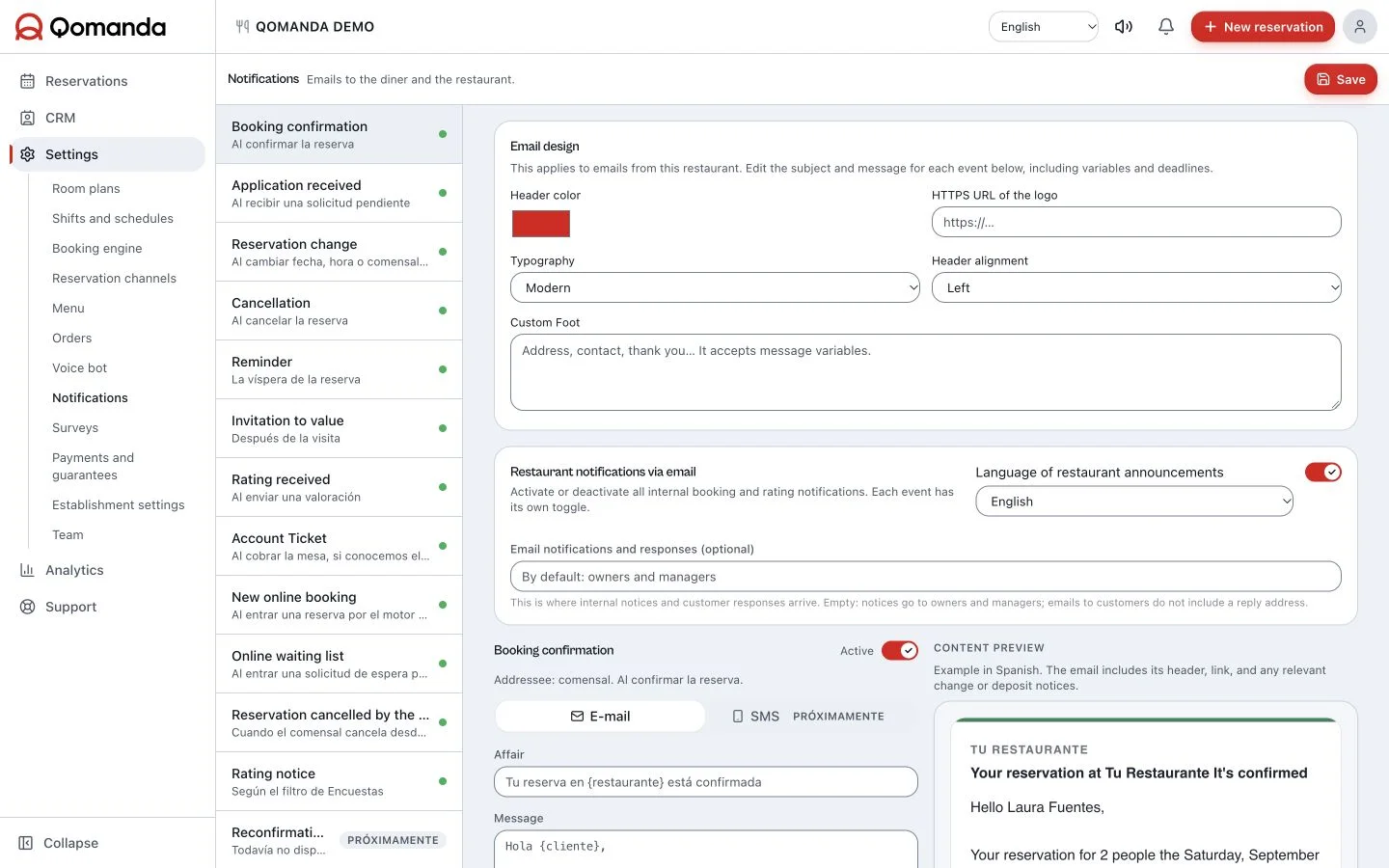
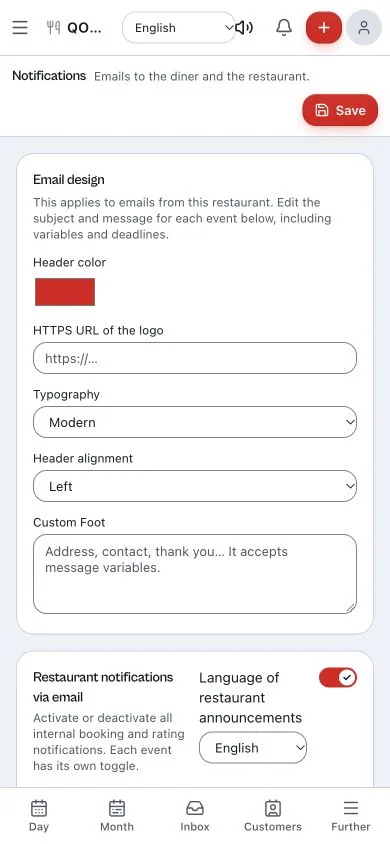
Fewer no-shows, without chasing anyone.
Every booking gets its confirmation and its reminder by email without anyone typing them. You lose fewer tables at the last minute, your team spends less time on the phone, and the gaps that do appear leave you time to refill them.
Confirmation on booking
01The moment a booking lands, the email goes out with date, time and party. One less call.
Reminder before the service
02The guest gets their nudge on time. Your book stops being full of maybes.
And you watch it drop in analytics
03The reminder cuts empty tables, and the panel shows you exactly how much it dropped.
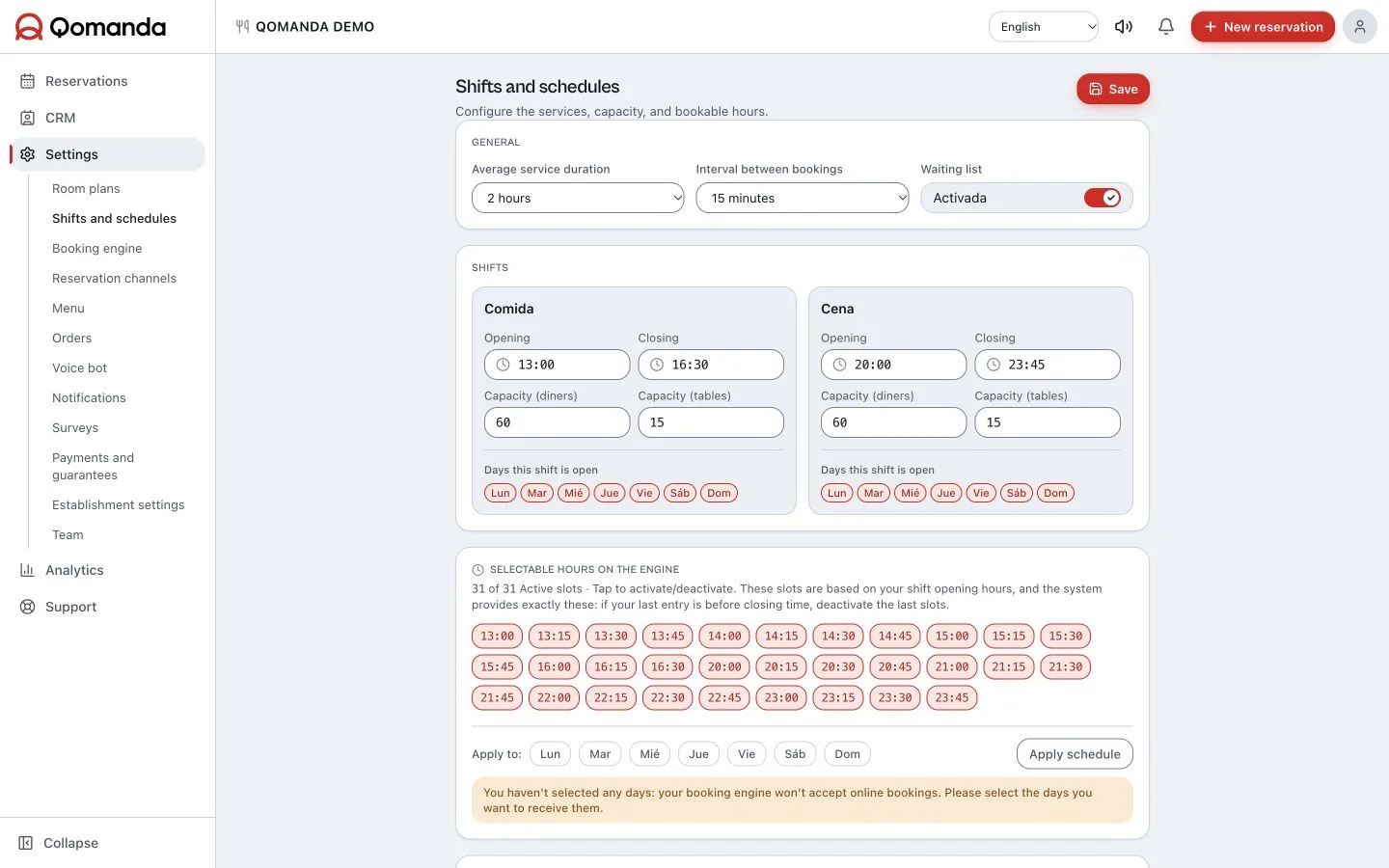
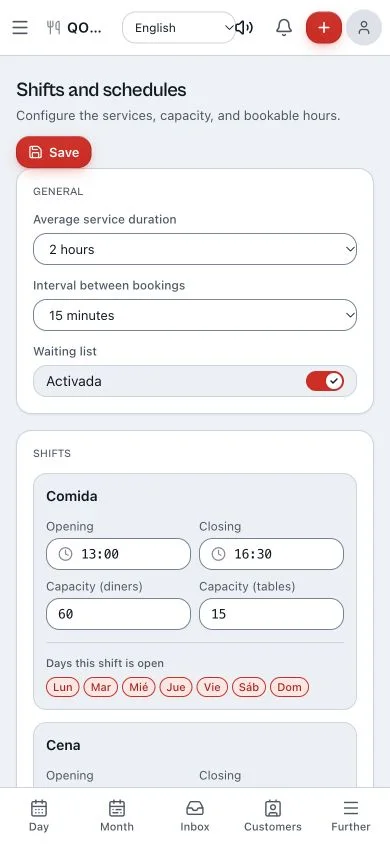
The kitchen only gets what it can serve.
Define shifts, capacity per slot and table duration to match how your house works. The engine only offers the slots you can genuinely deliver, so you turn more tables without blowing up the kitchen or rushing the guest.
Capacity per slot
01You decide how many guests come in each hour. The kitchen stays afloat to the last seating.
Table duration
02Set how long each booking holds a table and squeeze in another seating without rushing anyone.
Shifts your way
03Lunch, dinner, seatings or continuous service: build the slots the way your house runs.
Set it up this afternoon and run your next service from here.
Start free30 days free · no card · €49/mo after
Before you make the move.
What restaurants thinking about switching usually ask us. No fine print.
It works in the browser on any device: phone, tablet and computer. The panel is built for the floor, so you can manage bookings, tables and statuses from your phone in the middle of service. And it's real-time: if a colleague moves a table from another device, you see it instantly.
A tool for each part of service.
Bookings, tables and guests are included in €49/month + VAT. Ordering, kitchen and QR form an optional module priced separately.
Booking engine
Add online bookings to your restaurant website. 39 languages, capacity and services connected to your floor plan. €49/month + VAT. Try 30 days free.
Included in bookingsDigital reservation book
Replace notebooks and spreadsheets with an online reservation book: day and month views, services, guests and floor plan. €49/month + VAT. 30 days free.
Included in bookingsTable management
Organise tables, zones and bookings with a live restaurant floor plan. Check table statuses and service timelines. Included in €49/month + VAT.
Included in bookingsRestaurant CRM
Know guests before they arrive: booking history, VIP tags, notes and 14 allergens. CRM included in Qomanda for €49/month + VAT.
Included in bookingsBookings for bars
Organise your bar’s bookings, terrace and tables in one panel. Online booking engine and CRM for €49/month + VAT. Optional ordering and QR module.
Comandas · optionalKitchen display system
Send orders to the kitchen from a phone and follow each dish: pending, preparing, ready and served. Comandas module KDS. Pricing on request.
Comandas · optionalDigital menu and QR orders
Menu with photos, prices and allergens. Guests order through their table’s QR and call the waiter. Part of the separately priced Comandas module.
The next service is yours.
Try the software with your own room. If you want to discuss your setup first, write to our team.
Try Qomanda freeTell us about your restaurant